A well-planned desk setup can make work feel easier and more enjoyable. Your surroundings influence how quickly you find things, how often you get distracted, and how comfortable you feel during long periods at your desk.
You do not need expensive furniture or the latest accessories to create a better workspace. Small changes to your desk layout, lighting, technology, and daily habits can make a noticeable difference. Use the tips below to build a setup that supports both focus and comfort.
Start With a Clean, Simple Layout
A crowded desk can make it harder to concentrate. Before buying new accessories, clear away items you rarely use. Keep only the tools you need for your current task within easy reach.
Begin by dividing your desk into three areas:
– Primary area: The space directly in front of you for your keyboard, mouse, notebook, or other daily tools.
– Secondary area: A nearby space for items you use occasionally, such as a calculator, reference book, or phone.
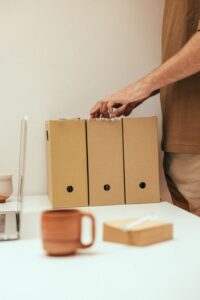
– Storage area: A drawer, shelf, or container for items that do not need to stay on the desktop.
This layout keeps your main work area open and reduces visual clutter. At the end of each workday, take a few minutes to return items to their usual places. A quick reset makes it easier to start the next day.
Position Your Monitor Carefully
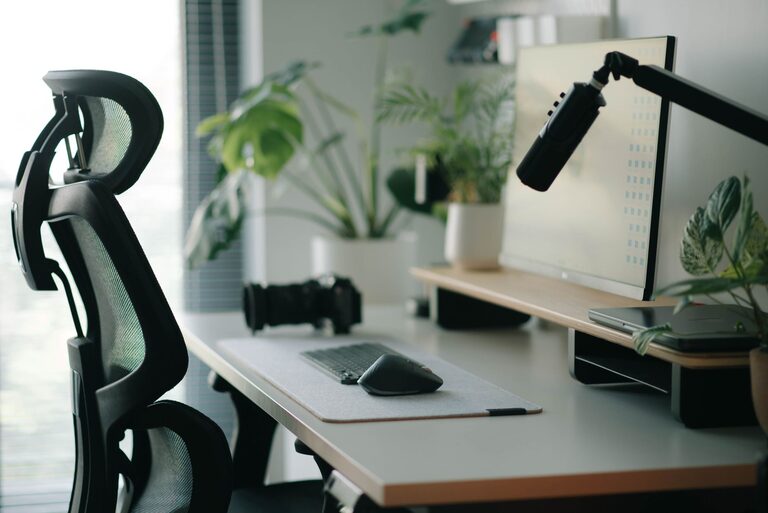
Your monitor should be easy to view without requiring you to constantly tilt your head or twist your body. Place it directly in front of your primary working position. If you use two monitors, position the one you use most often in the center.
The top portion of the screen should be around eye level or slightly below. You can raise a monitor with a stand, a sturdy platform, or a stack of suitable books. Make sure the support is stable and does not block ventilation.
Distance also matters. Position the screen far enough away that you can read comfortably without leaning forward. If text looks too small, increase the display size or adjust the application zoom instead of moving the monitor unusually close.
For a laptop, consider using a separate keyboard and mouse if you raise the screen. This allows the display and input devices to sit in more comfortable positions.
Choose a Comfortable Chair and Desk Height
A good chair does not need to be expensive, but it should provide steady support and allow you to sit with your feet comfortably on the floor. Adjust the seat height so your knees are roughly level with your hips and your shoulders can remain relaxed.
Your desk should allow enough space for your legs and give you room to move your keyboard and mouse into a comfortable position. Avoid placing frequently used items so far away that you need to reach or lean repeatedly.
If your chair or desk is not adjustable, use simple additions to improve the fit:
– Add a firm cushion if the seat is too low.
– Use a stable footrest if your feet do not reach the floor.
– Raise a keyboard slightly if the desk is unusually high.
– Move the chair closer so you do not have to reach forward.
Make sure any support you add is secure and does not slide during use.
Set Up Your Keyboard and Mouse
Place your keyboard so your elbows can stay near your sides rather than extended far forward. Keep the mouse close to the keyboard to avoid repeated reaching. When possible, maintain a relaxed grip and use gentle movements.
If you use a compact keyboard, make sure it still provides enough room for comfortable typing. A separate number pad can be useful if your work involves frequent data entry, while removing it can create more space for other tasks.
Consider changing your mouse sensitivity if you find yourself making large arm movements across the desk. You can also use keyboard shortcuts to reduce repetitive pointer movement and speed up common tasks.
Improve Your Lighting
Poor lighting can make a workspace feel tiring and may create screen glare. Use a combination of natural and artificial light when possible.
Place your desk near a window if you enjoy daylight, but avoid positioning the screen directly in front of or behind the window. Direct light can make the screen difficult to read, while light behind the monitor may create reflections.
A desk lamp can provide useful task lighting, especially in the evening. Aim the light at your notebook or work surface rather than directly at the screen. Choose a lamp with adjustable direction so you can change its position as needed.
Also adjust your screen brightness to match the room. A screen that is much brighter than its surroundings can feel distracting, while a screen that is too dim may be difficult to read.
Manage Cables and Devices
Loose cables make a desk look untidy and can limit how you arrange your equipment. Start by identifying which devices need to remain connected. Remove unused chargers and old cables from the desktop.
Use cable clips, ties, or a simple cable box to group cords by purpose. Labeling cables can help you identify them quickly when you need to move or replace a device.
Keep power strips in a safe, accessible location rather than burying them behind furniture. Leave enough slack for normal adjustments, but avoid long loops that take up valuable space. A tidy cable layout makes cleaning easier and helps you change your setup without frustration.
Reduce Digital Distractions
A comfortable physical workspace will not solve every focus problem. Your computer and phone can also introduce interruptions.
Try these simple changes:
– Turn off nonessential desktop notifications.
– Keep personal messaging apps closed during focused tasks.
– Place your phone outside your immediate reach.
– Use separate browser profiles for work and personal activities.
– Keep only the tabs you need for the current project.
– Set a clear start and end time for focused work.
You can also create a distraction-free desktop by removing unnecessary icons and using a simple background. The goal is not to eliminate every interruption, but to make unplanned distractions less convenient.
Add Useful Personal Touches
A workspace should be practical, but it can also reflect your personality. A small plant, framed photo, print, or favorite object can make the area feel more inviting. Choose items that add comfort without taking over your main work surface.
If you listen to music while working, keep headphones or speakers in a designated location. A small notebook can be useful for capturing quick thoughts without opening another app. A water bottle or mug can also help you avoid leaving your workspace repeatedly.
Be selective with decorative items. Too many objects can create visual noise and make cleaning more difficult.
Build Short Reset Habits
Even the best desk setup benefits from regular adjustments. At the beginning of a work session, check that your chair, monitor, and input devices are positioned comfortably. During longer tasks, change your posture and look away from the screen from time to time.
Short breaks can also help you refresh your attention. Stand up, walk around the room, or complete a quick non-screen task. These brief pauses can make it easier to return to your work with a clear mind.
At the end of the day, close unnecessary applications, put away loose items, and prepare the tools you will need next. This simple routine keeps your workspace ready and creates a clear boundary between work time and personal time.
Make One Change at a Time
You do not need to redesign your entire workspace in one day. Start with the change that would make the biggest difference, such as moving your monitor, clearing clutter, improving lighting, or organizing cables.
Use the setup for several days before making another major adjustment. Notice what feels convenient, what causes distractions, and what you avoid using. Over time, these small improvements can create a desk that supports focus, comfort, and a smoother daily routine.